Sales Report (Website)

If you want to review your sales for an specific day or time frame you need to:
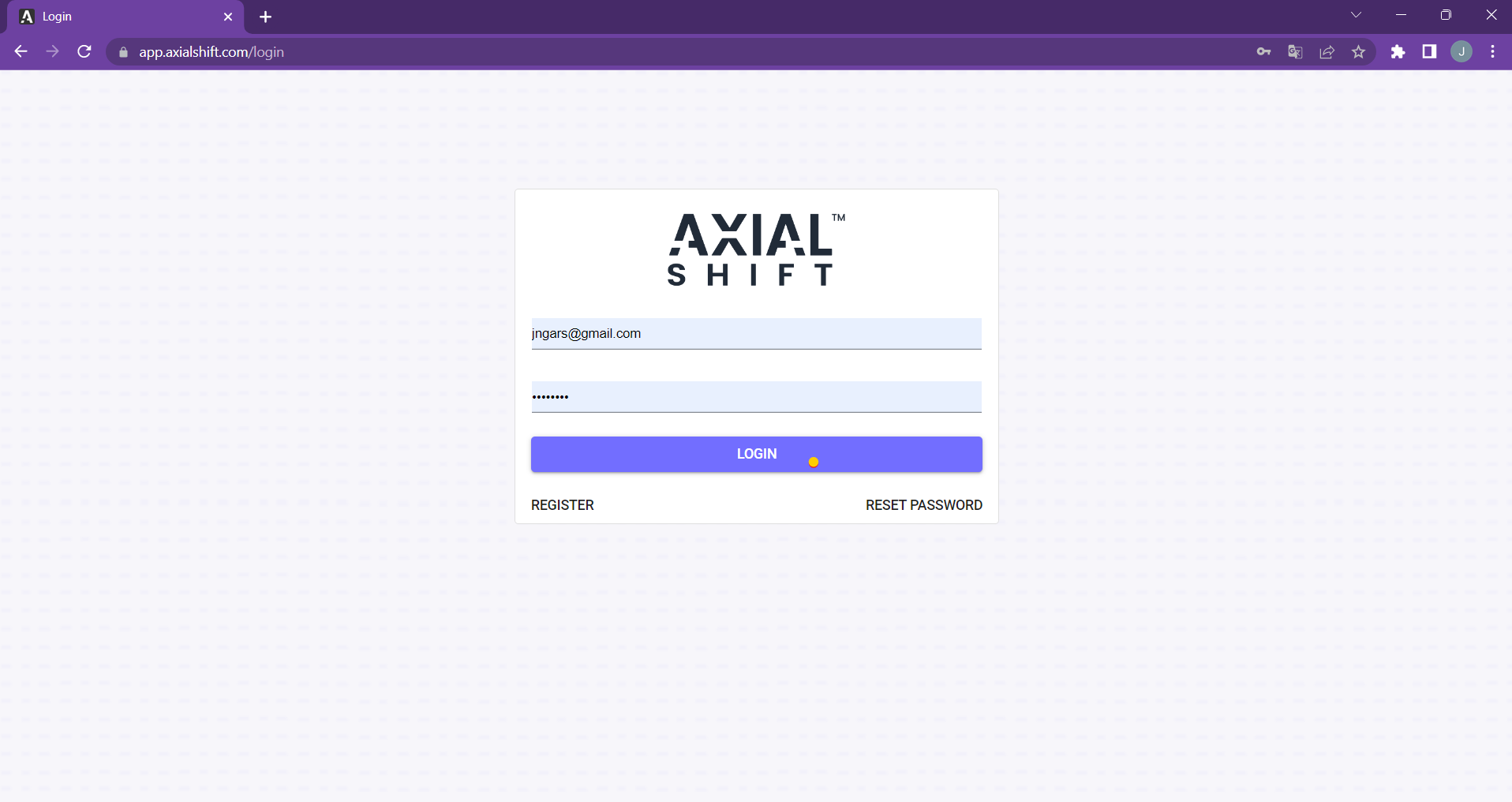
1. Go to https://app.axialshift.com/login
2. Type in your credentials. Username and password and hit "LOGIN"
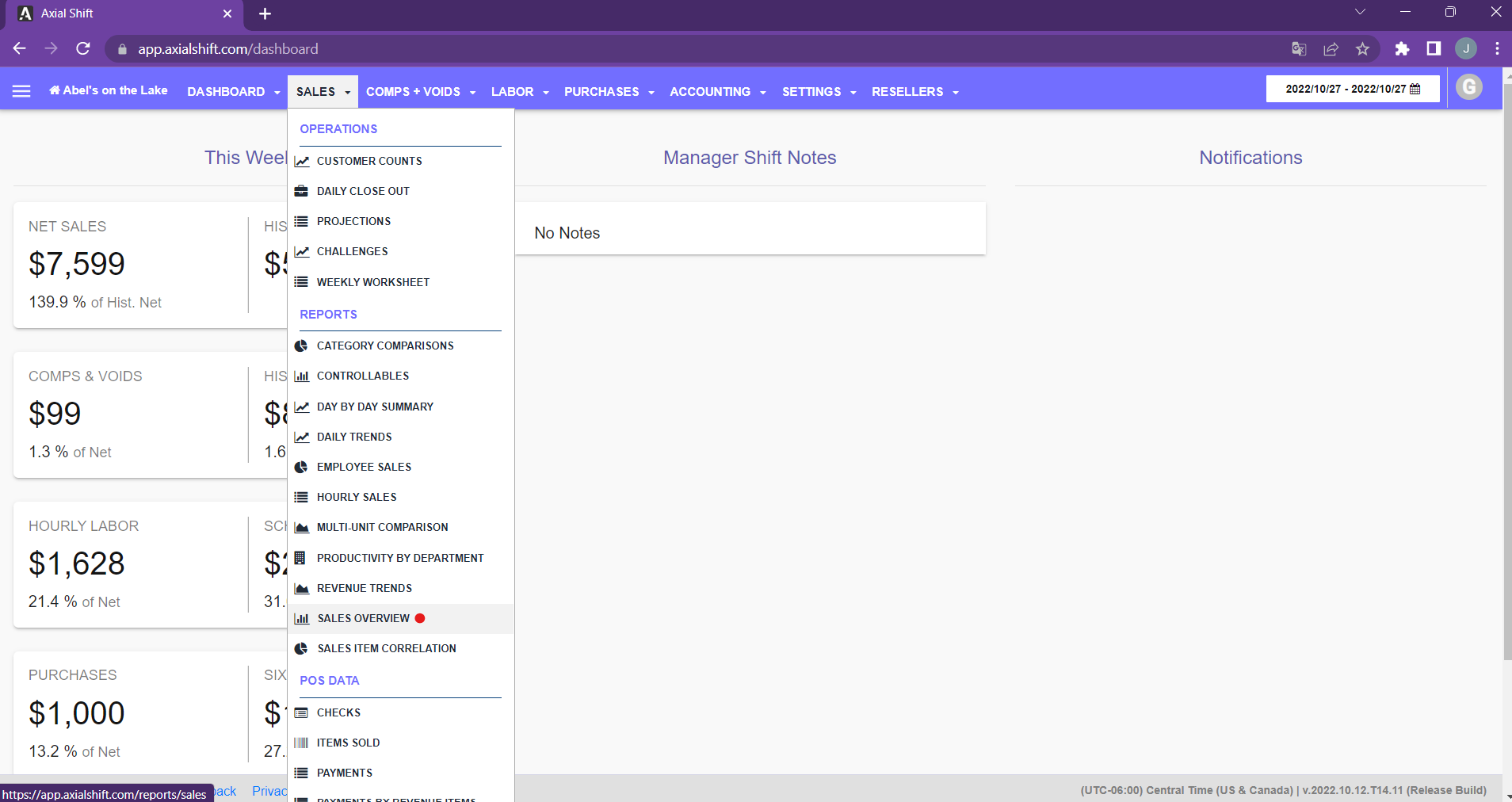
3. Hover over the "Sales" tab on the top menu.
4. Click on the "Sales Overview" option from the drop-down menu.
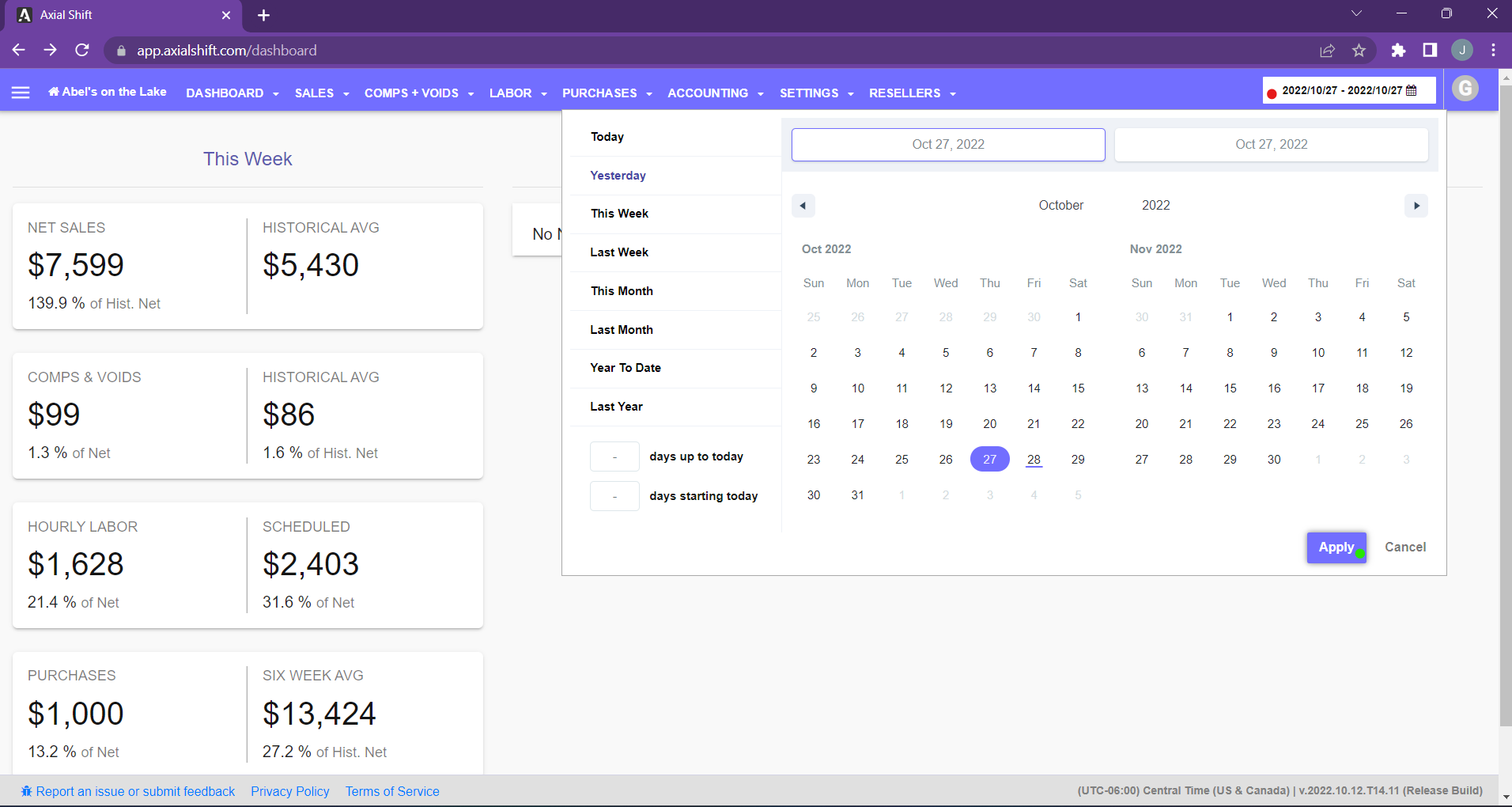
5. Finally, select the date or time frame you need on the calendar located on the top right corner of the page and hit "Apply".
0
Please sign in to leave a comment.
Comments
0 comments